
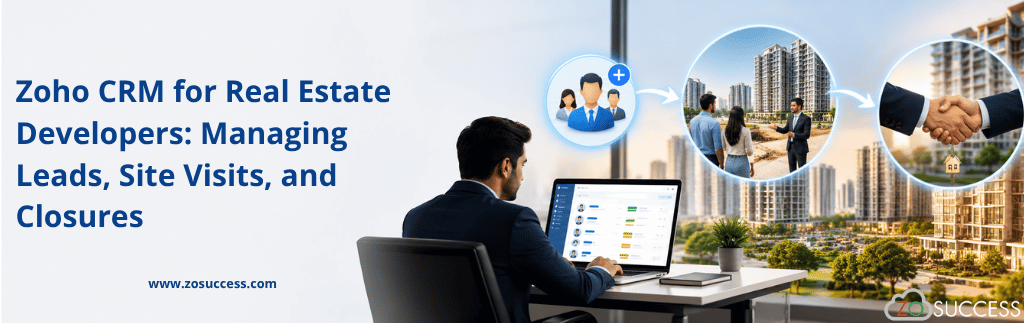
Why Real Estate Sales Need a Structured CRM
Real estate sales are unlike most other sales processes. Buying cycles stretch across weeks or months, transaction values are high, decisions often involve several family members, and a serious buyer may need many touchpoints before signing a booking form. Leads for a single project can arrive from property portals, digital ads, the website, social media, walk-ins, channel partners, and referrals, often all at once.
The buyer journey also moves through distinct stages: enquiry, qualification, property discussion, site visit, follow-up, negotiation, booking, documentation, and closure. Each stage needs accurate, current information to move the buyer forward. When this is run through spreadsheets, WhatsApp chats, and disconnected tools, the problems are predictable:
- Enquiries get missed.
- The same buyer is contacted twice.
- Follow-ups slip and site visits go untracked.
- Ownership is unclear.
- Channel partner performance is guesswork.
- Managers have no reliable view of how each project is tracking against target.
Zoho CRM brings lead capture, qualification, site visits, partner management, and closures into one system. Configured well, it gives marketing, inside sales, site teams, managers, and leadership a shared, real-time view of the entire property-sales journey.
Setting Up Zoho CRM Around Your Sales Process
Before configuring anything, map how your sales team actually works. A CRM that mirrors your real process will always outperform one that forces the team to adapt to the software.
A typical structure uses:
- Leads for new enquiries from portals, the website, and campaigns
- Contacts for qualified buyers
- Accounts for corporate buyers, investors, or channel partner firms
- Deals for individual property or booking opportunities
Most developers also need custom modules for Projects, Units or Inventory, Site Visits, Channel Partners, and Bookings. The right architecture is the one designed around your sales model, not a generic template.
Managing Real Estate Leads with Zoho CRM
- Capturing Leads from Every Source: Zoho CRM can pull in leads from website forms, Google Ads, Meta lead forms, property portals, landing pages, phone enquiries, walk-ins, and referral campaigns. Every enquiry lands in one place instead of being scattered across inboxes, spreadsheets, and personal phones.
- Automatic Assignment and Clear Ownership: Leads can be routed automatically by project, location, source, language, territory, or rep availability. An enquiry for a project in Kokapet, for example, goes straight to the team selling that project. Every lead should have an owner from the moment it is created. Unassigned leads tend to sit idle during the exact window when a fast response matters most.
- Preventing Duplicate Enquiries: When a buyer enquiries through a portal and again through a Google Ad the same week, two executives often call separately. Duplicate check rules on phone number and email can flag the match, block a new record, or update the existing one. This keeps each buyer represented once, however many channels they used.
- Lead Qualification: Standard qualification fields give the team a consistent way to judge intent:
- Preferred location
- Property type
- Budget range
- Unit size
- Buying timeline
- Financing requirement
- Project interest
- Managing Multiple Projects: Most developers sell several projects at once. Zoho CRM can track each project’s location, property type, available inventory, price range, construction stage, sales team, and campaign source. Leadership gets project-level pipeline visibility and can compare developments directly, rather than relying on one blended view that hides how individual projects are performing.
Managing Site Visits with Zoho CRM
Site visits are one of the most important milestones in a property sale. Zoho CRM can track the request, schedule, assigned executive, project, visitor details, status, outcome, and next follow-up date in one record.
A typical status flow runs through requested → scheduled → confirmed → completed → rescheduled → no-show → follow-up required. Zoho CRM Blueprint can enforce this flow so no visit skips a step.
- Scheduling and Reminders: Zoho Bookings lets prospects pick a visit slot directly from your website or a shared link, with the appointment syncing to the CRM. Automation can then:
- Confirm the appointment with the prospect
- Remind the prospect shortly before the visit
- Notify the assigned executive
- Alert the manager when a visit is missed. The result is fewer no-shows and more consistent follow-up.
- Mobile CRM for Field Teams: Sales executives spend much of the day at project sites, sample flats, and sales lounges. With the Zoho CRM mobile app, they can:
- Check in at a visit
- Review the buyer’s history before meeting them
- Log feedback and outcomes immediately after the walkthrough.
- Updating on the spot keeps details from being forgotten and keeps automated follow-ups and dashboards running on current data.
- Follow-Up After the Visit: The days after a site visit often decide whether a buyer moves forward. Reps can record feedback, the preferred unit, price concerns, competitor projects mentioned, timeline, and the agreed next step against the opportunity. Automation can:
- Create a follow-up task when a visit is marked complete
- Alert the manager if no follow-up happens within a set period
- Trigger communication based on the buyer’s status
- Hot leads are not left waiting because an executive got busy.
Managing Opportunities and Closures
Once a prospect becomes a serious buyer, Zoho CRM tracks the deal through stages such as qualified → site visit done → unit shortlisted → negotiation → booking initiated → documentation → payment → closed won. Each deal can hold:
- The specific unit
- Deal value and discount approved
- Payment status
- Expected closure date
- Responsible executive
- Channel partner involved
Managers see the live pipeline at every stage instead of relying on verbal updates. Booking forms and agreements can be sent for e-signature through Zoho Sign, with the signed copy stored against the deal.
Post-Booking Communication
The relationship continues long after booking. Zoho CRM can track documentation milestones, payment schedule reminders, construction and possession updates, and service requests.
Keeping this in the same CRM means the buyer’s full history, from first enquiry to possession, lives in one record. This matters on projects with long construction timelines, where buyers reach out months later about payments or handover dates. Whoever picks up the enquiry can see the full context without asking the buyer to repeat themselves.
Channel Partner Management
Many developers rely heavily on brokers and channel partners. Zoho CRM can track partner profiles, partner-sourced leads, site visits generated, bookings, conversions, and commission details. Useful partner-level KPIs include:
- Leads generated
- Site visits
- Bookings closed
- Conversion rate
- Revenue contribution
These give you a data-driven basis for deciding which partnerships are delivering and which need attention.
Automating Real Estate Sales Processes
Automation reduces admin work and improves consistency at every stage:
- Lead automation: assignment, instant notifications, and qualification workflows
- Follow-up automation: task creation, reminders, and scheduled communication
- Approval automation: discounts, pricing exceptions, and special offers that need sign-off
- Closure automation: booking notifications, internal hand-offs, and documentation tasks
Using Zia AI for Real Estate Sales
Zia, Zoho’s built-in AI, adds lead and deal scoring, win predictions, suggested next actions, and anomaly alerts when pipeline activity drops unexpectedly. AI should support sales teams, not replace them. In a purchase this large and personal, trust and relationships still drive the final decision.
Real Estate Dashboards and KPIs
Management needs real-time visibility, not periodic manual reports.
| Lead KPIs | Site Visit KPIs | Sales KPIs | Project KPIs |
|---|---|---|---|
| Leads generated | Visits scheduled | Pipeline value | Project-wise sales |
| Leads by source | Visits completed | Booking value | Unit availability |
| Lead response time | No-show rate | Closure rate | Booking trends |
| Qualification rate | Visit-to-opportunity conversion | Average sales cycle Executive performance | Revenue contribution |
Integrating Zoho CRM with Your Technology Stack
Zoho CRM can connect with your website, marketing platforms, WhatsApp, telephony, email, payment gateways, accounting software, and ERP systems. Within the Zoho ecosystem, common integrations include:
- Zoho Campaigns for nurturing
- Zoho SalesIQ for website chat
- Zoho Bookings for site visit scheduling
- Zoho Sign for agreements
- Zoho Books for finance
- Zoho Analytics for advanced reporting
- Zoho Flow for connecting other systems
Every integration should fit your existing architecture rather than be added because it is technically possible.
Common Mistakes to Avoid
- Using Excel as the primary CRM, which becomes unmanageable as volumes grow
- Creating too many fields, which makes the system hard for sales teams to use
- Ignoring lead sources, which makes marketing ROI impossible to measure
- Not tracking site visits as a measurable milestone
- Weak follow-up discipline, since a CRM only creates value when teams update and act on it
- Ignoring data quality, as duplicates and incomplete records undermine every report
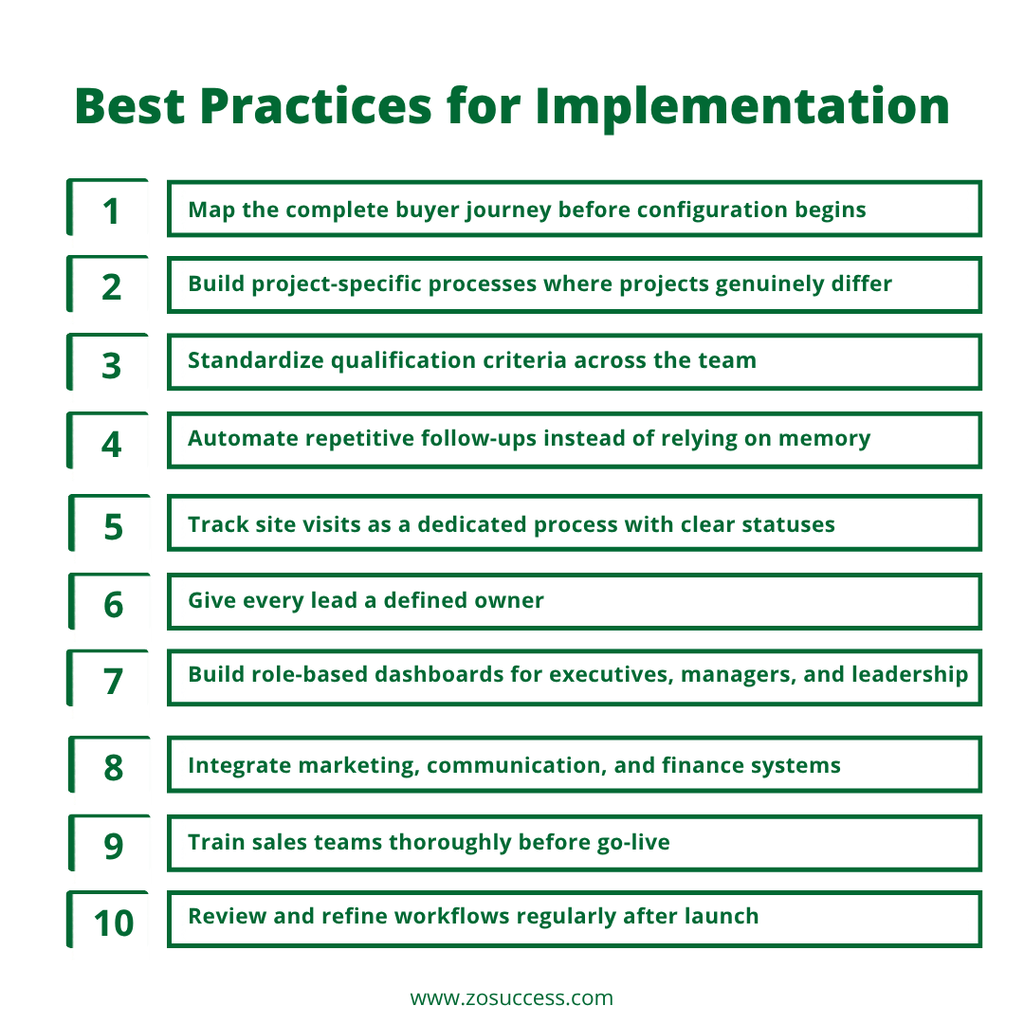
Best Practices for Implementation
- Map the complete buyer journey before configuration begins
- Build project-specific processes where projects genuinely differ
- Standardize qualification criteria across the team
- Automate repetitive follow-ups instead of relying on memory
- Track site visits as a dedicated process with clear statuses
- Give every lead a defined owner
- Build role-based dashboards for executives, managers, and leadership
- Integrate marketing, communication, and finance systems where they add value
- Train sales teams thoroughly before go-live
- Review and refine workflows regularly after launch
How ZoSuccess Helps Real Estate Developers Implement Zoho CRM
ZoSuccess is a Zoho Advanced Partner that builds Zoho CRM around how a developer’s sales process actually works, rather than applying a generic template.
ZoSuccess Services Include
- Real estate CRM consulting and sales process mapping
- Zoho CRM implementation and configuration
- Project, unit, and site visit module customization
- Lead assignment and follow-up automation
- Channel partner management setup
- WhatsApp and telephony integration
- Marketing automation integration
- Sales dashboards and KPI reporting
- Data migration from Excel or legacy CRMs
- User training
- Post-implementation support and optimization
Every engagement follows a structured approach: discover → design → configure → integrate → test → train → launch → optimize. The CRM keeps improving after go-live instead of being left untouched once deployed.
Conclusion
Real estate sales depend on timely follow-ups, strong relationships, and clear visibility across the buyer journey. A well-configured Zoho CRM helps developers centralize leads, manage site visits, automate follow-ups, track channel partners, and see every opportunity through to closure. The goal is not another CRM. It is a structured, measurable sales process that lets your team spend less time managing data and more time with buyers who are ready to move.
Frequently Asked Questions
1. How can Zoho CRM help real estate developers manage leads?
It brings leads from portals, the website, ads, social media, walk-ins, and referrals into one system. From there it assigns them automatically and tracks qualification and follow-up through the full pipeline.
2. Can Zoho CRM manage site visits?
Yes. It tracks visit requests, schedules, assigned executives, outcomes, and follow-up dates, with statuses such as scheduled, completed, rescheduled, and no-show. Zoho Bookings can let prospects book visits directly.
3. Can Zoho CRM automate follow-ups after a site visit?
Yes. It can create follow-up tasks when a visit is completed, alert managers when follow-ups are delayed, and trigger communication based on buyer status.
4. How does Zoho CRM handle multiple projects?
Each project can be tracked with its own inventory, pricing, stage, sales team, and campaign sources. This gives leadership project-level pipeline visibility and side-by-side performance comparison.
5. Can Zoho CRM track bookings and closures?
Yes. Deals move from qualification through negotiation, booking, documentation, and payment. Unit details, deal value, discounts, and payment status are stored against each deal.
6. Can Zoho CRM manage channel partners?
Yes. It tracks partner-sourced leads, site visits, bookings, conversions, and commissions, so you can measure each partner’s real contribution.
7. Does Zoho work for India-specific requirements for developers
For developers in India, Zoho CRM can be configured around local requirements:
- RERA registration numbers stored on each project record and shown on buyer communications
- Construction-linked payment plans, with demand notes triggered as milestones are reached
- Home loan status, including sanction and disbursement, tracked against each booking
- Portal lead capture from 99acres, MagicBricks, Housing.com, and others
- WhatsApp as a primary channel for confirmations and follow-ups
- GST-ready invoicing and payment tracking through Zoho Books
Yes. Projects can carry RERA registration details, and payment milestones can trigger demand notes and reminders as construction progresses.
8. Why work with ZoSuccess for a real estate CRM implementation?
ZoSuccess is a Zoho Advanced Partner. It designs the CRM around your sales process and covers everything from process mapping and configuration through integrations, migration, training, and ongoing optimization.
Ready to Streamline Your Real Estate Sales with Zoho CRM?
ZoSuccess helps real estate developers implement Zoho CRM for lead management, site visits, channel partners, and closures. Talk to our Zoho experts and build a CRM designed around your property sales journey.


 “ZOSuccess” is the Zoho Consulting Practice of Dhruvsoft Services Private Limited – a leading Zoho Advanced Partner from India – providing services worldwide …