
Zoho Analytics vs. Power BI: Which BI Tool Works Best When Your Data Lives in Zoho?
Every business today generates enormous volumes of data across sales, finance, customer support, marketing, and operations. But data on its own does not drive growth. What moves the needle is the ability to turn that data into meaningful insight, fast enough to act on it. This is exactly the gap that business intelligence, or BI, platforms are built to close, and it is why choosing the right BI tool has become one of the more consequential software decisions a growing company makes.
For organizations that already run on Zoho applications, this decision usually comes down to two names: Zoho Analytics and Microsoft Power BI. Both are capable, well-respected platforms. Both can turn spreadsheets and databases into dashboards executives actually look at. But when your operational data already lives inside Zoho CRM, Zoho Books, Zoho Desk, and the rest of the Zoho ecosystem, the two tools are not equally well suited to the job.
In this guide, we compare Zoho Analytics and Power BI across integration capabilities, ease of use, analytics and AI features, pricing, and scalability. We also explain why Zoho Analytics is often the faster and more cost-effective path to actionable business insights for organizations already using the Zoho ecosystem, especially small and mid-sized businesses looking for a unified, easy-to-manage business intelligence platform.
Understanding Business Intelligence Platforms
What Is Business Intelligence, and Why Does It Matter?
Business intelligence refers to the technology, processes, and tools organizations use to collect, organize, and analyze data so that it supports better decisions. Instead of relying on gut feeling or scattered spreadsheets, BI platforms let teams:
- Visualize data through dashboards and reports that are easy to read at a glance
- Identify trends across sales cycles, customer behavior, and operations
- Improve forecasting accuracy for revenue, demand, and resourcing
- Measure key performance indicators consistently across departments
- Support strategic decisions with evidence instead of assumptions
For growing businesses specifically, a solid BI layer brings better operational visibility, faster decision-making, improved productivity, and the beginnings of a genuinely data-driven culture. The challenge is not whether to invest in BI anymore. It is which platform will actually get adopted, deliver value quickly, and stay affordable as the business scales.
This is where many businesses run into trouble. A BI platform that looks impressive in a demo but takes six months to connect to real operational systems, or requires a dedicated analyst just to keep dashboards running, rarely delivers the return on investment leadership expects. The right choice depends less on which platform has the longest feature list and more on how quickly it can connect to the systems your teams already use every day, and how easily the people who need the insights can actually get to them without waiting on IT.
Introducing the Platforms
Zoho Analytics
Zoho Analytics is a cloud-native, self-service BI and data analytics platform built to work closely with the broader Zoho ecosystem. It offers AI-powered insights through Zia, drag-and-drop dashboard building, and embedded analytics that can be dropped directly into other business applications. It is purpose-built for organizations that already run on Zoho CRM, Zoho Books, Zoho Desk, Zoho Projects, and similar tools, and it shows in how little setup is required to get from raw data to a working dashboard. For Indian businesses in particular, this matters: Zoho’s native support for GST-compliant invoicing and reporting in Zoho Books flows directly into Analytics dashboards without any manual reconciliation.
Microsoft Power BI
Power BI is Microsoft’s enterprise-grade analytics platform, known for its extensive data modeling capabilities, strong visualizations, and deep integration with Microsoft 365, Azure, and SQL Server. It is a favorite among large enterprises, particularly those with an existing Microsoft technology stack and dedicated data teams who can build and maintain complex data models. Its flexibility is a genuine strength, but that same flexibility comes with a steeper learning curve.
Feature Comparison: Zoho Analytics vs. Power BI
The table below summarizes how the two platforms stack up on the factors that matter most to a business evaluating BI tools.
| Feature | Zoho Analytics | Microsoft Power BI |
|---|---|---|
| Ease of Use | Very high – drag and drop | High – steeper learning curve |
| Zoho CRM Integration | Native, one click | Requires connector/API setup |
| Zoho Books Integration | Native, one click | Requires connector/API setup |
| Zoho Desk Integration | Native, one click | Requires connector/API setup |
| Dashboard Builder | Easy drag and drop | Advanced, more flexible |
| AI Insights | Zia AI, natural language queries | Copilot, mostly on premium tiers |
| Data Preparation | Built-in data prep tools | Power Query |
| Mobile Access | Strong native apps | Strong native apps |
| Collaboration | Strong, built for teams | Strong, built for teams |
| Pricing | Lower entry cost, predictable scaling | Higher for enterprise features |
Why Native Zoho Integration Makes a Real Difference
Zoho Analytics: Built to Plug Straight Into Your Stack
The single biggest advantage Zoho Analytics holds over Power BI, for Zoho-first businesses, is native connectivity. It connects directly and natively with:
- Zoho CRM
- Zoho Books
- Zoho Desk
- Zoho Projects
- Zoho Inventory
- Zoho Campaigns
- Zoho People
- Zoho Finance Plus
- Zoho Creator
This native connectivity translates into one-click data synchronization, no complex connectors to configure and maintain, faster implementation timelines, and lower ongoing maintenance overhead. Data updates flow automatically, dashboards stay current, and IT does not need to babysit a fragile integration layer.
Power BI: Capable, But Layered With Extra Steps
Power BI can absolutely connect to Zoho data, but it typically does so through APIs and third-party connectors rather than native integration. That often means additional configuration, data transformation work, a degree of technical expertise most small teams do not have in-house, and in some cases middleware to bridge the gap. None of this is a deal-breaker for a large enterprise with a dedicated BI team, but for a business heavily invested in Zoho and looking to move quickly, it adds real friction, time, and cost.
Which Platform Is Better for Business Users?
Zoho Analytics: Built for the People Who Use the Data
Zoho Analytics leans heavily into self-service. Its interface is friendly to non-technical users, its dashboard builder is genuinely drag-and-drop, and business users can create working reports without writing a line of code. The learning curve is short, which matters because a BI tool only creates value once people actually use it. Zoho Analytics tends to be a strong fit for sales managers, finance teams, marketing professionals, and operations managers who need answers, not a new skill to master.
Power BI: Powerful, but Built for Specialists
Power BI is a genuinely powerful platform, but unlocking that power usually means understanding DAX (Data Analysis Expressions) formulas, data modeling, table relationships, and Power Query. That makes it a strong fit for BI developers, data analysts, and IT teams, but a harder sell for the department heads and business users who need dashboards, not a new discipline to learn.
Dashboard and Reporting Capabilities
Zoho Analytics
Zoho Analytics ships with ready-made dashboard templates that map directly to common business needs, including CRM pipeline dashboards, sales performance dashboards, finance dashboards, customer support dashboards, executive KPI dashboards, and marketing ROI dashboards. On top of these, it supports interactive filters, drill-down reports, scheduled report delivery, and embedded analytics that can live inside other applications your team already uses.
Power BI
Power BI’s dashboard and reporting capabilities go deeper for organizations that need them: highly customizable visuals, complex multi-source dashboards, enterprise-grade reporting, and advanced data modeling. The honest answer is that most small and mid-sized businesses simply do not need this level of complexity day to day, and paying for it, in licensing cost and in setup time, rarely pays off unless the organization has the data volume and technical bench to match.
AI and Predictive Analytics
Zoho Analytics: Zia AI
Zoho Analytics is powered by Zia, Zoho’s AI assistant, which lets users ask questions about their data in plain, natural language and get an answer back as a chart or number. Zia also supports automated insights, trend analysis, predictive forecasting, smart alerts, and anomaly detection, all built into the core product rather than gated behind a premium tier.
Power BI: Microsoft AI and Copilot
Power BI’s AI capabilities are backed by Microsoft AI, including AI-generated visuals, Copilot-assisted reporting, machine learning integration, and connectivity into the broader Azure AI stack. These capabilities are genuinely strong, but Copilot-assisted reporting in particular typically sits behind a premium tier, which raises the effective cost for small and mid-sized businesses that want AI-assisted analytics without paying for an enterprise plan.
Pricing Comparison: What It Actually Costs to Run Each Platform
Looking at the list price alone can be misleading, so it helps to compare the total cost of ownership rather than the entry price.
Zoho Analytics
- Subscription plans that scale with user count and data volume, generally positioned below enterprise BI tools
- Native connectors reduce implementation costs since less custom setup work is required
- Predictable per-user pricing makes budgeting easier for growing teams
Power BI
- Competitive entry-level pricing for basic reporting needs
- Premium AI features, including Copilot, typically require add-on licensing
- Total cost can rise for enterprise deployments once data modeling, connector development, and specialist training are factored in
When you add up licensing, setup, training, ongoing maintenance, and any custom development needed to connect Zoho data cleanly, Zoho Analytics generally comes out ahead for Zoho-centric businesses on total cost of ownership, not just the sticker price.
Performance and Scalability
Zoho Analytics
Zoho Analytics is well suited to startups, small and mid-sized enterprises, and growing companies that need to move fast. Its cloud-native architecture supports fast deployment and easy scalability as data volume and user counts grow, without requiring a dedicated infrastructure team.
Power BI
Power BI tends to be the better fit for large enterprises, Microsoft-centric IT environments, and organizations with a dedicated BI team that can manage data models, gateways, and governance at scale.
Which Platform Works Best for Your Business Scenario?
Choose Zoho Analytics if:
- Your business already runs on Zoho CRM, Zoho One, or several Zoho applications
- You need a quick deployment with minimal IT effort
- You want affordable, predictable analytics pricing for a growing team
- Business users need to build and adjust their own reports
- You prefer a single, unified ecosystem over stitching tools together
Choose Power BI if:
- Your organization is heavily invested in the Microsoft technology stack
- You have dedicated BI developers on staff
- You require advanced, enterprise-grade data modeling
- Most of your data originates in SQL Server, Azure, or Microsoft Dynamics
Taken together, the points above make a consistent case: for a business already running on Zoho, Zoho Analytics offers a faster path from raw data to a working dashboard, with less setup, lower ongoing cost, and no dependency on IT to keep it running.
Real-World Business Use Cases
- Sales Teams: Pipeline analysis, lead conversion dashboards, and sales forecasting that pull directly from Zoho CRM data without manual exports.
- Finance Teams: Revenue tracking, expense analysis, and cash flow reporting sourced natively from Zoho Books.
- Customer Support: Ticket resolution dashboards, SLA monitoring, and customer satisfaction trends drawn straight from Zoho Desk.
- Marketing Teams: Campaign ROI, lead source analysis, and website performance tracking, unified with the sales and finance picture.
- Executive Leadership: Company-wide KPI dashboards, business performance scorecards, and the kind of strategic decision support that comes from seeing every department’s data in one place.
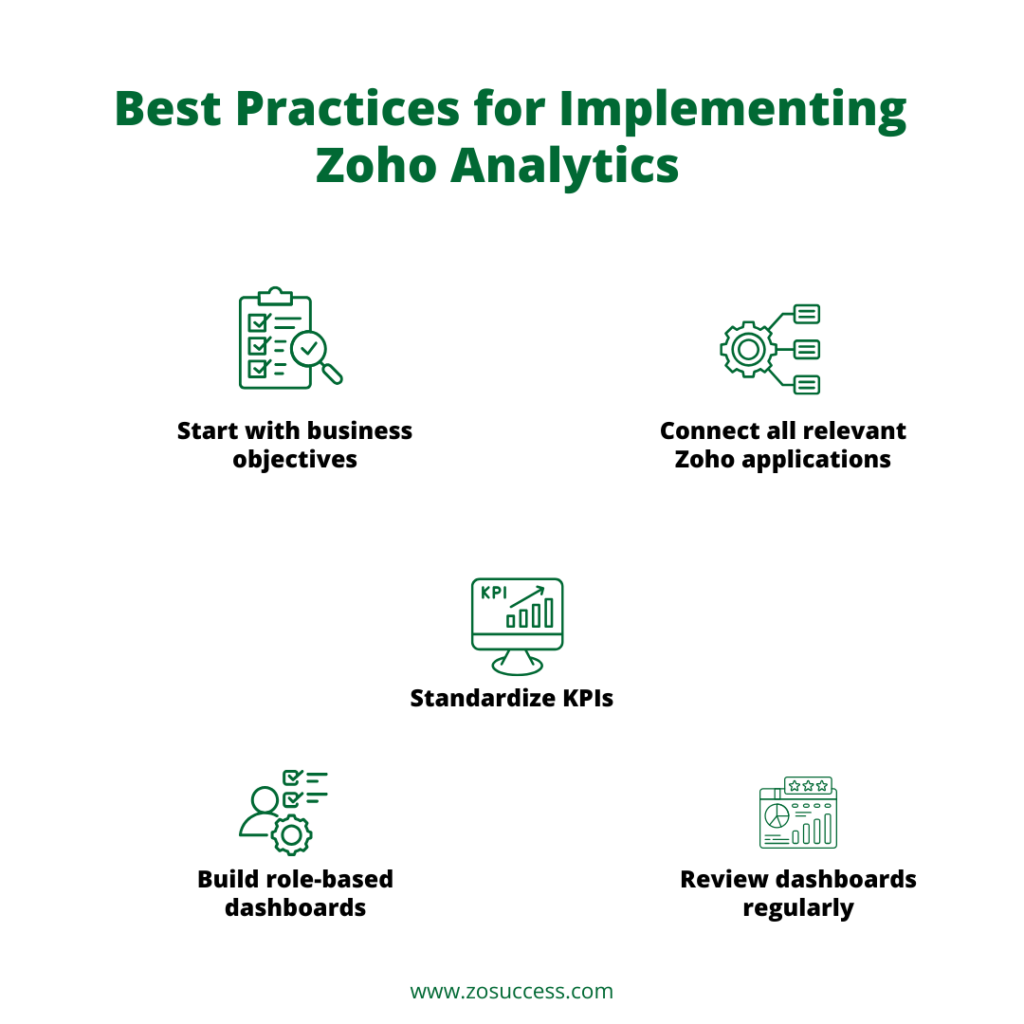
Best Practices for Implementing Zoho Analytics
- Start with business objectives: Identify the specific decisions each dashboard needs to support before building it.
- Connect all relevant Zoho applications: The value of Zoho Analytics compounds once CRM, Books, Desk, and other apps feed a single, unified data ecosystem.
- Standardize KPIs: Agree on shared definitions so reporting stays consistent across departments.
- Build role-based dashboards: A sales manager, a finance controller, and a CEO need different views of the same underlying data.
- Review dashboards regularly: Business needs evolve, and dashboards should be revisited and refined rather than left untouched after launch.
How ZoSuccess Helps Businesses Unlock the Power of Zoho Analytics
ZoSuccess is a trusted Zoho Analytics implementation partner, helping businesses turn scattered Zoho data into dashboards leadership actually relies on. Our services include:
- Zoho Analytics implementation, end to end
- Dashboard design and customization
- CRM, finance, HR, and operations reporting
- Data integration across Zoho applications
- Migration from Excel or Power BI
- KPI framework development
- User training and adoption support
- Ongoing analytics optimization
What sets ZoSuccess apart is certified Zoho consultants, industry-specific dashboard expertise, faster implementation timelines, customized BI solutions rather than one-size-fits-all templates, and long-term support that continues well past go-live.
We have worked with businesses across manufacturing, retail, professional services, and technology, and in each case, the pattern is the same: once CRM, finance, and support data sit inside one connected analytics layer, teams stop arguing about whose numbers are right and start spending that time acting on them.
Conclusion
Business intelligence is no longer reserved for large enterprises. It has become essential for organizations of every size that want to make faster, better-informed decisions. If your business already relies on Zoho CRM, Zoho Books, Zoho Desk, or the broader Zoho ecosystem, Zoho Analytics provides one of the fastest, most cost-effective, and easiest ways to transform data into actionable insights. With its native integrations, intuitive interface, AI-powered analytics through Zia, and flexible pricing, it is an ideal business intelligence platform for small and mid-sized businesses as well as growing enterprises looking to make data-driven decisions with confidence.
Power BI remains a powerful platform, and it is the right call for organizations deeply invested in the Microsoft ecosystem with the technical bench to match. But for businesses whose data already lives in Zoho, Zoho Analytics typically delivers faster implementation, a lower total cost of ownership, and greater day-to-day business value. The decision ultimately comes down to where your data already lives and who needs to use the insights once the dashboards are built. For most Zoho-first businesses, the answer to both questions points squarely at Zoho Analytics.
Frequently Asked Questions
What types of businesses can benefit from Zoho Analytics?
Zoho Analytics is suitable for businesses of all sizes, including startups, SMBs, and enterprises. It is widely used across industries such as manufacturing, retail, healthcare, education, professional services, and ecommerce to gain actionable insights from business data.
Can Zoho Analytics integrate with ERP and CRM systems?
Yes. Zoho Analytics integrates with leading ERP and CRM platforms, including Zoho CRM, Zoho Books, Oracle NetSuite, Salesforce, Microsoft Dynamics 365, and other third-party applications. This enables businesses to create unified reports from multiple data sources.
Does Zoho Analytics offer AI-powered insights?
Yes. Zoho Analytics includes AI capabilities through Zia, which allows users to ask business questions in natural language, receive automated insights, identify trends, and generate predictive analytics for better decision-making.
Is coding knowledge required to use Zoho Analytics?
No. Zoho Analytics is designed for both business users and technical teams. Its drag-and-drop interface, pre-built dashboards, and visualization tools allow users to create reports without programming skills, while advanced users can leverage SQL for custom analysis.
Is Zoho Analytics good enough for businesses that also use non-Zoho tools?
Yes. While Zoho Analytics excels with native Zoho connectors, it also connects to databases, cloud drives, and many third-party applications, so a Zoho-first business does not lose the ability to bring in outside data.
Can Zoho Analytics replace Power BI for a growing enterprise?
For most small and mid-sized businesses, yes, particularly when the bulk of operational data already sits inside Zoho applications. Larger enterprises with complex, multi-source data models and a dedicated BI team may still find Power BI’s advanced modeling worth the added complexity.
How long does a typical Zoho Analytics implementation take?
With native connectors already available for most Zoho applications, a focused implementation covering CRM, finance, and support dashboards can often be completed in a matter of weeks rather than months.
Does Zoho Analytics support regional tax and compliance reporting?
Yes. Zoho Analytics connects directly with Zoho Books and other financial applications, enabling organizations to build customized tax, revenue, expense, and compliance dashboards. For Indian businesses, this includes dashboards built on GST-compliant data already captured in Zoho Books, so filing periods, input tax credit tracking, and e-invoicing records can be reviewed and reconciled from within the same analytics platform rather than as a separate manual step.
Ready to Turn Your Zoho Data Into Actionable Insight?
ZoSuccess helps businesses implement Zoho Analytics, build customized dashboards, integrate data across the entire Zoho ecosystem, and empower decision-makers with real-time reporting. Contact our Zoho Analytics experts today to unlock the full value of the data you are already collecting.


 “ZOSuccess” is the Zoho Consulting Practice of Dhruvsoft Services Private Limited – a leading Zoho Advanced Partner from India – providing services worldwide …