
Build an Organized, Efficient, and Scalable Sales Process with Zoho CRM
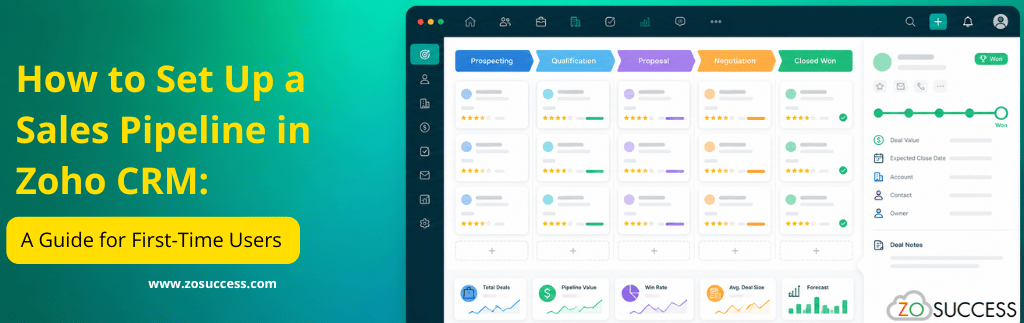
Every successful sales team follows a structured process to turn prospects into paying customers. Without a clearly defined sales pipeline, opportunities slip through the cracks, follow-ups get delayed, and revenue forecasting becomes little more than guesswork. If you are managing deals through scattered spreadsheets, sticky notes, or your inbox, chances are you already know how frustrating and unpredictable that can be.
For first-time CRM users, the idea of setting up a sales pipeline can feel intimidating. The good news is that Zoho CRM makes the process straightforward with customizable stages, built-in automation, and powerful reporting tools that grow with your business. Whether you run a startup, a small business, or a growing sales team, Zoho CRM gives you the structure you need without unnecessary complexity.
In this guide, we will walk through everything a first-time user needs to know to build a sales pipeline in Zoho CRM, including how to define your sales process, set up pipeline stages, automate repetitive tasks, and use dashboards to track performance. By the end, you will have a clear roadmap for building a pipeline that supports long-term, scalable growth.
What Is a Sales Pipeline?
A sales pipeline is a visual representation of every deal or opportunity as it moves through the distinct stages of your sales process, from the first point of contact to a closed deal. It is easy to confuse a sales pipeline with a sales funnel, but the two are not the same thing. A sales funnel measures the volume of leads narrowing down toward a purchase, while a sales pipeline tracks individual deals and where each one sits in your process at any given moment.
A well-structured pipeline matters because it gives your team complete visibility into every active opportunity. Sales representatives can prioritize the deals most likely to close, managers can forecast revenue with far greater accuracy, and leadership can spot bottlenecks before they slow down the entire sales cycle. Perhaps most importantly, a defined pipeline standardizes how your organization sells, so results are not dependent on any one person’s memory or instincts.
Why Choose Zoho CRM for Sales Pipeline Management?
Zoho CRM has become one of the most popular CRM platforms for startups and small to mid-sized businesses, and for good reason. It offers an easy-to-customize pipeline builder, along with a visual Kanban-style view that lets reps drag and drop deals between stages. Businesses that sell multiple products or serve different markets can also create multiple pipelines within the same account, each tailored to a specific product line, region, or business unit.
Beyond the basics, Zoho CRM includes workflow automation to eliminate repetitive manual work and Zia, Zoho’s AI-powered sales assistant, which surfaces predictions and recommendations based on historical data. Field sales teams benefit from full mobile CRM access, while sales managers get built-in reports and dashboards that update in real time. Because Zoho CRM is part of a broader ecosystem that includes Zoho Books, Zoho Campaigns, Zoho Desk, and more, it also integrates seamlessly as your operations expand.
For startups and growing businesses in particular, Zoho CRM offers enterprise-grade pipeline management at a price point that does not strain a limited budget, making it an ideal starting point for teams that expect to scale.
Before You Set Up Your Pipeline: Define Your Sales Process
Before opening Zoho CRM and clicking through settings, it pays to step back and map out your actual sales process on paper. A pipeline is only as useful as the process it reflects, and copying a generic template rarely captures how your business really sells.
Start by identifying your sales journey, meaning the typical path a prospect follows from first contact to becoming a customer. A common structure looks like this: Lead Captured, Initial Contact, Qualified Lead, Product Demo, Proposal Sent, Negotiation, Closed Won, and Closed Lost. Your business may need more stages or fewer, depending on the complexity of your sales cycle.
For each stage, define clear exit criteria, meaning the specific conditions that must be met before a deal is allowed to move forward. For example, a deal should not move from Qualified Lead to Product Demo unless the prospect has confirmed budget and a decision-making timeline. This kind of discipline keeps your pipeline data accurate and prevents reps from inflating their forecasts.
Finally, align your pipeline design with concrete business goals, whether that means shortening your sales cycle, increasing conversion rates, improving forecasting accuracy, or delivering a smoother customer experience. Having these goals in mind before you configure Zoho CRM will guide every decision you make in the setup process.
Step-by-Step Guide to Setting Up a Sales Pipeline in Zoho CRM
Step 1: Configure the Deals Module
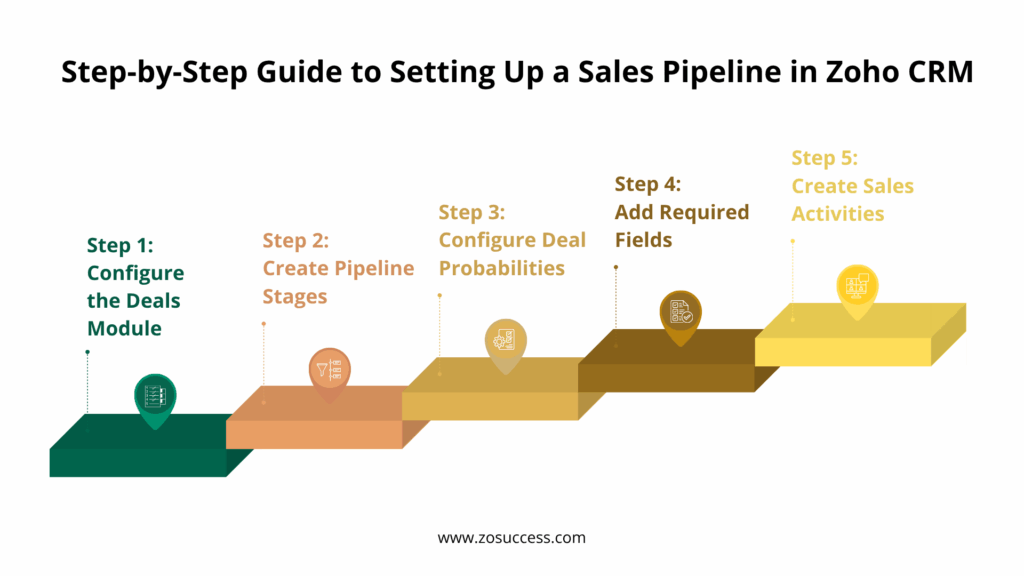
The Deals module is where all of your sales opportunities live inside Zoho CRM. Navigate to the Deals module from the main menu and take time to understand how opportunities are structured and managed by default. From here, you can create or customize deal layouts to match the information your team actually needs to capture, removing irrelevant fields and adding ones that matter to your process.
Step 2: Create Pipeline Stages
Once your Deals module is configured, the next step is building out your pipeline stages. A commonly used structure includes New Lead, Qualified, Discovery Call, Product Demo, Proposal Shared, Negotiation, Closed Won, and Closed Lost. Zoho CRM allows you to rename, reorder, add, or remove stages entirely, so you can adapt this framework to match your industry. A real estate agency, a SaaS company, and a manufacturing distributor will each need a slightly different set of stages, and Zoho CRM is flexible enough to accommodate all three.
Step 3: Configure Deal Probabilities
Every stage in your pipeline should carry a probability percentage that reflects how likely a deal at that stage is to close. A typical breakdown might assign twenty percent probability to Qualified, forty percent to Demo, seventy percent to Proposal, ninety percent to Negotiation, and one hundred percent to Closed Won. These probabilities feed directly into Zoho CRM’s forecasting tools, giving sales managers a far more accurate picture of expected revenue than simply totaling every open deal at face value. Over time, this leads to better revenue planning and more realistic targets.
Step 4: Add Required Fields
Standardized data is what makes CRM reporting genuinely useful, so it is worth investing time in defining required fields at each stage. Common fields include Lead Source, Industry, Deal Value, Expected Close Date, Decision Maker, Competitor, and Product Interest. When these fields are marked as required, reps cannot skip past them, which keeps your database clean and ensures that reports and dashboards reflect complete, trustworthy information rather than gaps and guesses.
Step 5: Create Sales Activities
A pipeline stage on its own does not move a deal forward; action does. Set up structured activities within Zoho CRM, including calls, meetings, follow-up tasks, product demonstrations, and automated email reminders. When every deal has a clearly defined next step attached to it, reps are far less likely to let opportunities go cold, and managers can quickly see which deals are stalling due to a lack of activity.
Automating Your Sales Pipeline
Workflow Automation
One of Zoho CRM’s biggest advantages for first-time users is workflow automation. Rather than relying on reps to manually assign leads, send follow-up emails, or notify managers, you can configure Zoho CRM to handle these tasks automatically. Common workflow automations include auto-assigning new leads to the right rep based on territory or product line, automatically creating follow-up tasks when a deal moves to a new stage, sending welcome emails to new leads, and notifying sales managers whenever a high-value opportunity enters the pipeline. These automations save hours of manual work every week and ensure that no opportunity is neglected simply because someone forgot a step.
Blueprint
For businesses that want to enforce a strict, repeatable sales process, Zoho CRM’s Blueprint feature is invaluable. Blueprint lets you build a visual, step-by-step guide that walks reps through each stage of a deal, enforcing stage completion rules along the way. This standardizes how every rep sells, improves compliance with internal processes, and ensures that critical steps, such as getting manager approval before offering a discount, are never skipped.
Approval Processes
Speaking of approvals, Zoho CRM allows you to automate approval workflows for situations like discount requests, pricing exceptions, and contract sign-off. Instead of relying on email chains or hallway conversations, approvals are tracked directly within the CRM, creating a clear audit trail and speeding up deal cycles.
Managing Your Pipeline Effectively
Prioritize High-Value Opportunities
Not every deal deserves equal attention. Use deal value, close probability, lead score, and recent activity history to identify which opportunities should get the most focus from your team. Zoho CRM’s built-in scoring and filtering tools make it easy to surface these high-priority deals at a glance.
Monitor Pipeline Health
Beyond individual deals, it is important to monitor the overall health of your pipeline. Keep an eye on stalled deals that have not moved in weeks, your average sales cycle length, conversion rates between stages, and overall pipeline velocity. These metrics tell you whether your process is working or whether something in your pipeline design needs to change.
Regular Pipeline Reviews
Set aside time for weekly pipeline reviews with your sales team. Use these sessions to remove inactive or dead opportunities, update stages to reflect reality, and plan the next action for every open deal. Regular reviews keep your pipeline data trustworthy and keep your team accountable.
Using Dashboards and Reports
One of the most valuable aspects of Zoho CRM for first-time users is the ability to monitor sales performance without building complex spreadsheets. Recommended reports include a sales pipeline report showing every open deal by stage, a win and loss analysis to understand why deals succeed or fail, a sales forecast report, an opportunity aging report to flag deals that have been sitting too long, and a lead conversion report.
On the dashboard side, most teams benefit from tracking total pipeline value, deals broken down by stage, monthly sales performance trends, individual and team performance comparisons, and an activity dashboard showing calls, emails, and meetings logged by each rep. These dashboards turn raw CRM data into decisions, helping sales managers spot problems early and coach their teams more effectively.
Common Mistakes First-Time Users Should Avoid
- Creating too many pipeline stages: An overly complex pipeline can confuse sales teams and make it harder to manage opportunities. Keep stages simple, clear, and aligned with your sales process.
- Not defining stage criteria: Establish clear entry and exit criteria for every stage so all sales representatives use the pipeline consistently.
- Ignoring data quality: Incomplete, outdated, or duplicate records reduce the accuracy of reports, forecasts, and customer insights. Maintain clean and reliable CRM data.
- Skipping workflow automation: Relying on manual processes for follow-ups, task creation, and notifications increases administrative work and the risk of human error.
- Not training the sales team: Even a well-designed pipeline won’t deliver results if users don’t understand how to use Zoho CRM effectively.
- Failing to review the pipeline regularly: Sales processes evolve over time. Regularly evaluate your pipeline stages, workflows, and reports to ensure they continue to match your business needs.
- Using the same pipeline for every sales process: Businesses with different products, regions, or customer segments should create separate pipelines instead of forcing all opportunities through one workflow.
- Ignoring sales reports and KPIs: Failing to monitor metrics such as win rates, conversion rates, sales cycle length, and pipeline value makes it difficult to identify bottlenecks and improve performance.
Best Practices for Building a High-Performing Sales Pipeline
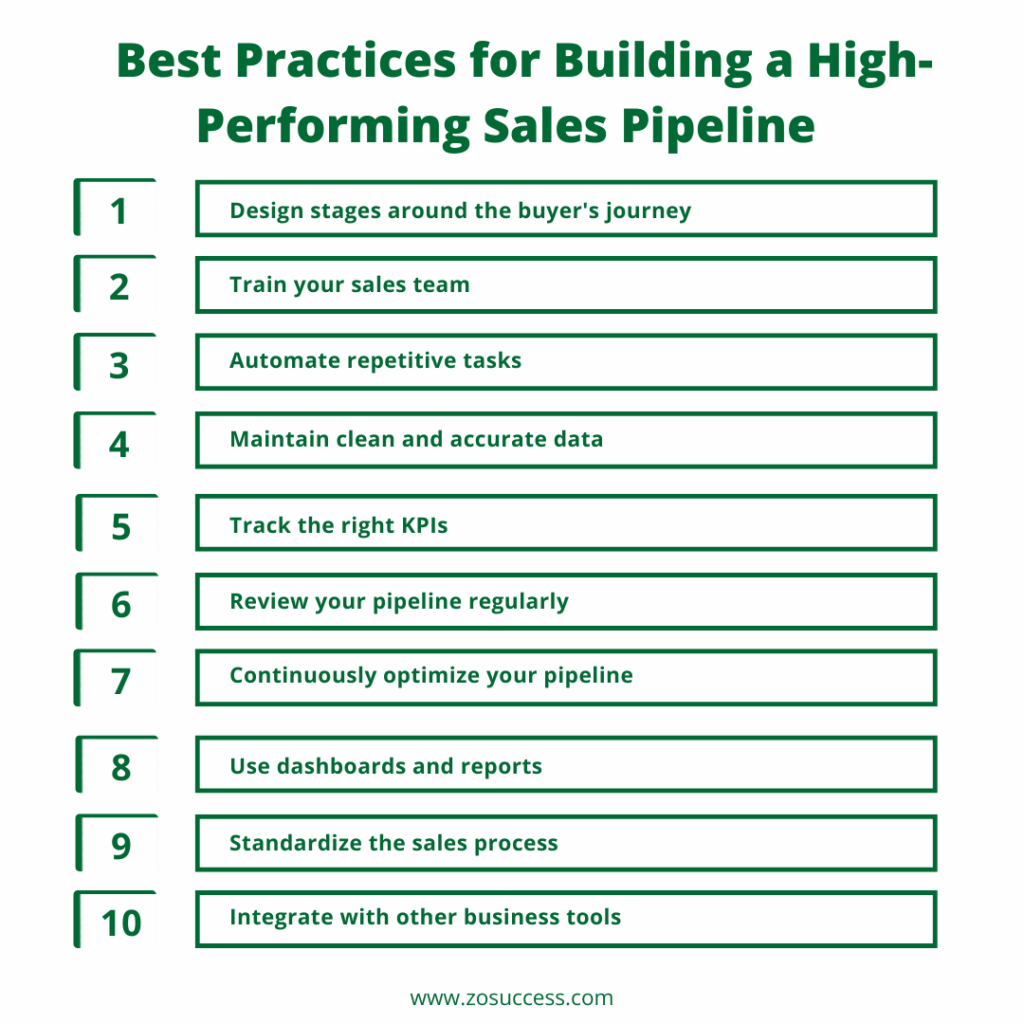
- Design stages around the buyer’s journey: Create pipeline stages that reflect how customers make purchasing decisions, rather than focusing on internal processes or paperwork.
- Train your sales team: Ensure every sales representative understands how to use Zoho CRM effectively and follows a consistent sales process.
- Automate repetitive tasks: Use workflow automation to handle routine activities such as lead assignment, follow-up reminders, email notifications, and task creation, reducing manual effort.
- Maintain clean and accurate data: Regularly update deal information, remove duplicate records, and ensure customer data remains complete and reliable.
- Track the right KPIs: Monitor important metrics such as:
- Win rate
- Sales cycle length
- Total pipeline value
- Forecast accuracy
- Stage-wise conversion rates
- Review your pipeline regularly: Conduct weekly pipeline reviews to identify stalled deals, update opportunities, and improve forecasting accuracy.
- Continuously optimize your pipeline: Adjust stages, workflows, automations, and dashboards as your business grows and your sales process evolves.
- Use dashboards and reports: Leverage Zoho CRM dashboards to gain real-time visibility into sales performance and identify opportunities for improvement.
- Standardize the sales process: Define clear entry and exit criteria for each pipeline stage to ensure consistency across the sales team.
- Integrate with other business tools: Connect Zoho CRM with applications like Zoho Books, Zoho Desk, Zoho Campaigns, or third-party tools to streamline business operations and provide a complete customer view.
Why Zoho CRM Is Ideal for Growing Sales Teams
- Affordable and Scalable: Zoho CRM offers powerful CRM capabilities at a cost-effective price, making it an excellent choice for startups, small businesses, and growing enterprises without compromising on advanced features.
- Easy to Customize: Businesses can easily customize modules, fields, layouts, workflows, and sales pipelines to match their unique sales processes without requiring extensive technical expertise.
- AI-Powered Sales Intelligence: With Zia, Zoho’s AI-powered assistant, sales teams receive intelligent insights, sales predictions, lead scoring, anomaly detection, and task recommendations to improve decision-making.
- Mobile Access for Sales Teams: The Zoho CRM mobile app enables field sales representatives to access customer information, update deals, schedule meetings, and manage opportunities anytime, anywhere.
- Workflow Automation: Zoho CRM automates repetitive tasks such as lead assignments, follow-up reminders, email notifications, approvals, and task creation, allowing sales teams to focus on closing deals.
- Seamless Integration with Zoho Applications: Zoho CRM integrates natively with Zoho Books, Zoho Campaigns, Zoho Desk, Zoho Analytics, and Zoho SalesIQ, creating a connected business ecosystem across sales, marketing, finance, customer support, and analytics.
- Real-Time Reporting and Analytics: Custom dashboards and reports provide real-time visibility into pipeline performance, sales forecasts, conversion rates, and team productivity, helping managers make data-driven decisions.
- Supports Business Growth: As your business expands, Zoho CRM can scale with multiple sales pipelines, advanced automation, Blueprint workflows, integrations, and enterprise-level features, eliminating the need to switch CRM platforms later.
- Improved Team Collaboration: Sales, marketing, customer support, and finance teams can collaborate using shared customer data, ensuring better communication and a consistent customer experience across departments.
- Built for Long-Term Success: Zoho CRM grows alongside your business, providing the flexibility, automation, and integrations needed to support changing sales processes and long-term business growth.
How ZoSuccess Helps Businesses Build High-Performing Sales Pipelines
At ZoSuccess, we help businesses implement, customize, and optimize Zoho CRM to build efficient sales pipelines that improve productivity, increase visibility, and drive business growth.
- Sales Process Discovery and Consulting: We analyze your existing sales process, identify bottlenecks, and recommend a pipeline structure that aligns with your business goals and customer journey.
- Zoho CRM Implementation and Customization: Our experts configure Zoho CRM to match your unique business requirements, including custom modules, fields, layouts, and sales processes.
- Sales Pipeline Design and Optimization: We create structured sales pipelines with clearly defined stages, helping your sales team manage opportunities more effectively and improve conversion rates.
- Workflow Automation and Blueprint Setup: We automate repetitive tasks such as lead assignment, follow-up reminders, approvals, and notifications using Zoho Workflow Rules and Blueprint to improve efficiency.
- Dashboard and Reporting Configuration: Our team builds customized dashboards and reports that provide real-time insights into pipeline health, sales performance, revenue forecasts, and team productivity.
- Data Migration from Legacy Systems: We securely migrate your customer data from Excel spreadsheets or existing CRM platforms into Zoho CRM while maintaining data accuracy and integrity.
- User Training and CRM Adoption: We provide hands-on training and best practices to ensure your sales team confidently uses Zoho CRM and follows standardized sales processes.
- Ongoing CRM Support and Optimization: As your business evolves, we continuously optimize your CRM by refining workflows, updating automations, improving reports, and introducing new features.
Why Businesses Choose ZoSuccess
- Certified Zoho CRM Specialists: Our consultants are certified Zoho professionals with extensive experience delivering successful CRM implementations across multiple industries.
- Industry-Specific Expertise: We understand the unique sales processes and operational challenges of businesses across manufacturing, healthcare, IT, education, retail, and professional services.
- Proven Implementation Methodology: Our structured implementation approach ensures faster deployment, reduced implementation risks, and minimal disruption to your daily operations.
- Tailored CRM Solutions: Every Zoho CRM implementation is customized to meet your business goals, sales processes, and long-term growth strategy.
- Long-Term Partnership: Our relationship doesn’t end after implementation. We provide ongoing support, optimization, and strategic guidance to help your CRM continue delivering value as your business grows.
Frequently Asked Questions
How long does it take to set up a sales pipeline in Zoho CRM?
For most small and mid-sized businesses, a basic sales pipeline with customized stages, fields, and simple workflow automation can be set up within a few days. More advanced implementations involving Blueprint, multiple pipelines, approvals, integrations, and data migration may take few weeks, depending on business complexity.
Can I create multiple sales pipelines in Zoho CRM?
Yes. Zoho CRM allows you to create multiple sales pipelines within the same CRM account. This is useful if your business sells different products, serves multiple regions, or follows separate sales processes for inbound, outbound, enterprise, or partner sales.
Do I need technical skills to set up a sales pipeline in Zoho CRM?
No coding is required for basic pipeline setup. Sales managers and CRM administrators can easily create stages, fields, and simple automations using Zoho CRM’s built-in tools. However, advanced configurations such as Blueprint workflows, custom functions, and integrations are best handled by an experienced Zoho implementation partner.
How often should I review and update my sales pipeline?
A weekly pipeline review helps identify stalled deals, update opportunities, and improve forecast accuracy. It’s also recommended to perform a quarterly review of your pipeline stages, automation rules, and sales process to ensure they continue to match your evolving business needs.
What are the best sales pipeline stages to use in Zoho CRM?
The ideal stages vary by business, but a common pipeline includes Lead Qualified, Initial Contact, Needs Analysis, Proposal Sent, Negotiation, Closed Won, and Closed Lost. Your stages should reflect your actual sales process and make it easy to track deal progress accurately.
Can Zoho CRM automate tasks within the sales pipeline?
Yes. Zoho CRM offers workflow automation that can automatically assign leads, send follow-up emails, create tasks, trigger notifications, update fields, and move deals through the pipeline based on predefined conditions. This reduces manual work and improves sales productivity.
Can I customize sales pipeline stages after implementation?
Absolutely. Zoho CRM allows you to add, remove, rename, or reorder pipeline stages as your business grows. You can also modify stage probabilities, validation rules, layouts, and automations without disrupting your existing CRM data.
How can a Zoho CRM implementation partner help with pipeline setup?
A certified Zoho CRM implementation partner can design a pipeline tailored to your sales process, configure automation, migrate existing customer data, integrate third-party applications, provide user training, and ensure your CRM is optimized for long-term business growth and higher sales performance.
Conclusion
A well-designed sales pipeline is the foundation of an efficient, predictable sales process. By setting up clear stages, automating repetitive tasks, tracking meaningful KPIs, and using Zoho CRM’s built-in reporting capabilities, businesses can improve sales productivity, sharpen forecast accuracy, and close more deals with less friction.
For first-time users, investing the time to build the right pipeline today creates a scalable sales process that will support your business for years of growth ahead. The structure you put in place now becomes the foundation on which every future sales hire, campaign, and revenue goal will build on.
Ready to build your first sales pipeline in Zoho CRM? ZoSuccess helps businesses design, implement, and optimize Zoho CRM to match their unique sales processes. Contact our Zoho CRM experts today and start building a smarter, more efficient sales pipeline.


 “ZOSuccess” is the Zoho Consulting Practice of Dhruvsoft Services Private Limited – a leading Zoho Advanced Partner from India – providing services worldwide …